Dismissal
The extracurricular time slot of the Dismissal type follows a different process than the others.
When a student is dismissed from a class (or an extracurricular time slot), several profiles can register the student: the teacher supervising the corresponding dismissal time slot, the administration, the deans, the management.
In the extracurricular time slot service, he/she selects Dismissal and then searches for the dismissed student by typing the first letters of their first or last name.
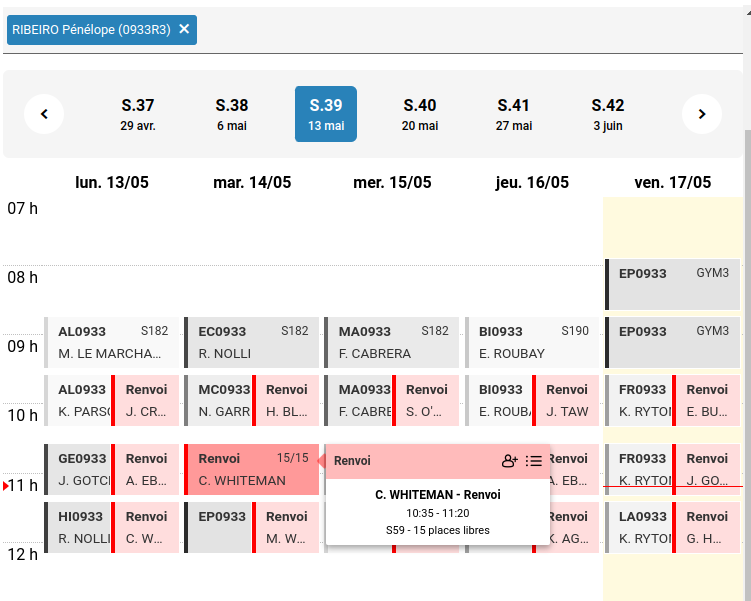
Then click on the icon.

The summary window opens, where the supervising teacher selects the class from which the student was dismissed; by default, the system suggests the student’s current class(es).
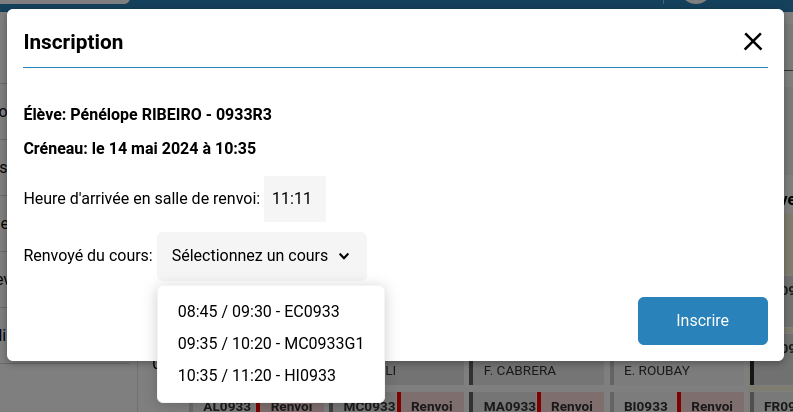
The name of the corresponding teacher will then be displayed.
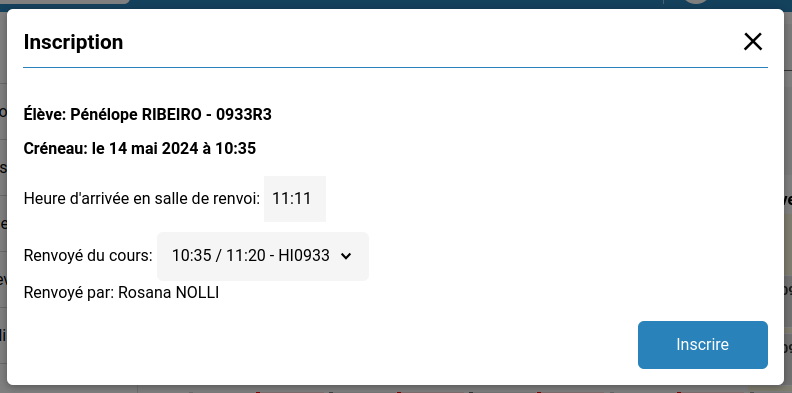
By clicking on Register, the supervising teacher triggers a notification to the teacher who dismissed the student and to the student’s dean.
To finalize the dismissal, the teacher who dismissed the student must provide the reason. When this teacher logs in, they will see a notification in the extracurricular time slot service.
In addition, a new activity will appear in their dashboard:
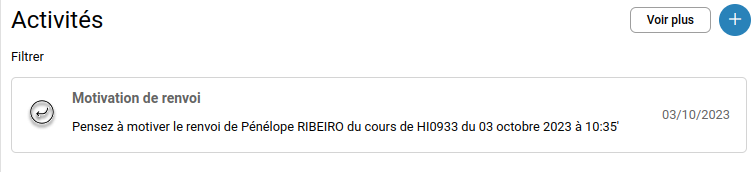
Note that the student’s dean and homeroom teacher will also receive a new notification in their activity feed indicating this dismissal.
By clicking the link in their activity feed or by entering the extracurricular time slot service, the teacher who dismissed the student will see a window to enter the reason for the dismissal. The extracurricular time slot service will not be accessible until the reason is provided.
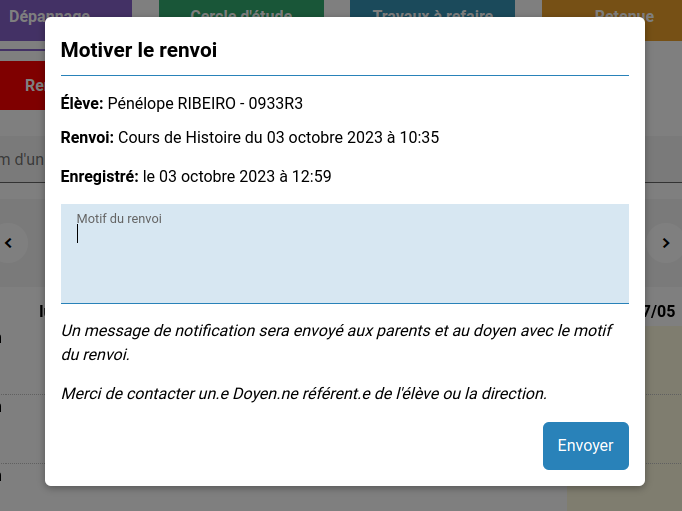
By clicking Send, the teacher notifies the student’s parents and the dean of the reason for the dismissal.