Skip to content

Help Service

  • Dashboard
    • Diary
    • Announcements
    • Activities
    • Statistics
    • Schedule
    • Homework
  • Messaging
  • Logbook
    • Create a correspondence
    • Sign a correspondence
    • Re-initializing a signature
  • Schedule
    • Replace a teacher
    • Delete a replacement
  • Extracurricular time slots
    • Manage the off-schedule
    • Registration of a class
    • Dismissal
    • Take attendance
    • Absence notifications
  • Resources
    • GRR
  • application management
    • Broadcast an application
  • User management
    • Students
    • Guardians
    • Teachers
    • Agents
    • Assignments
    • Delegations
  • Class management
    • Class details
  • Dashboard
    • Diary
    • Announcements
    • Activities
    • Statistics
    • Schedule
    • Homework
  • Messaging
  • Logbook
    • Create a correspondence
    • Sign a correspondence
    • Re-initializing a signature
  • Schedule
    • Replace a teacher
    • Delete a replacement
  • Extracurricular time slots
    • Manage the off-schedule
    • Registration of a class
    • Dismissal
    • Take attendance
    • Absence notifications
  • Resources
    • GRR
  • application management
    • Broadcast an application
  • User management
    • Students
    • Guardians
    • Teachers
    • Agents
    • Assignments
    • Delegations
  • Class management
    • Class details

Context menu

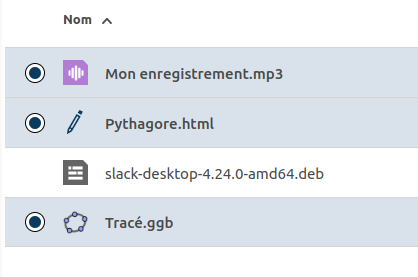
Multi-selection of files and folders is possible by holding down the Ctrl and Shift keys. When an item is selected, it is checked.
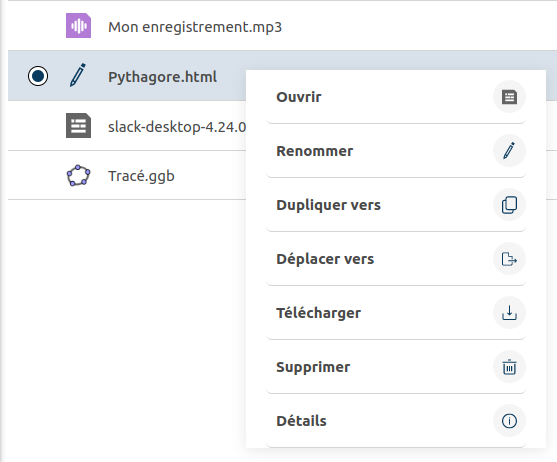
A right-click on one or more selected items opens a context menu, which offers several options depending on the type of file or folder selected.
Page load link
Go to Top