Diary
Events on the agenda are published by the institution’s administration, intended for one or more populations within the institution.
Viewing Your Agenda
In the homepage widget, events from the institutional agenda are grouped by month and sorted from oldest to newest.
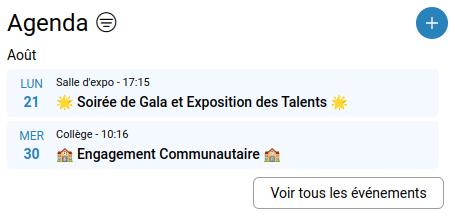
The number of unread events is indicated at the top of the widget:
The buttonallows displaying only unread events.
The button opens a modal listing all events from the institution intended for the user.
Clicking on an event opens a window to read its details.
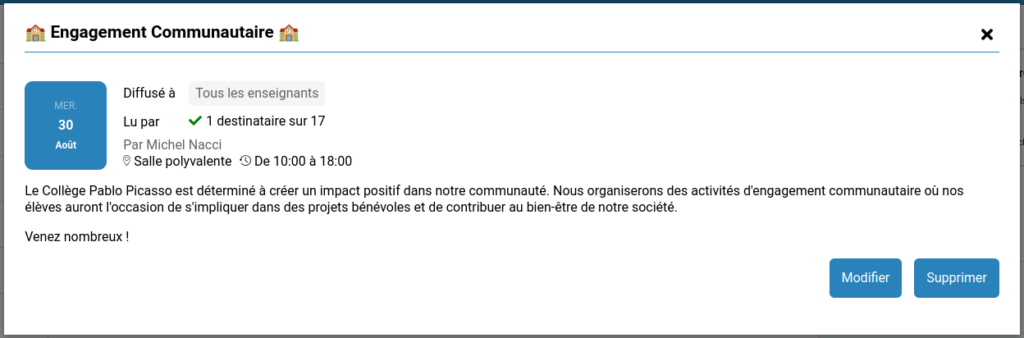
Reading Matrix
The author of an event, a director, or a delegate for announcement drafting can see who has read (or not read) the event by clicking on the number of recipients, similar to announcements.
Creating an Event
Only members of the administration and those delegated the right to draft events (via the user administration service) have the right to create an event.
The creation window appears as follows:
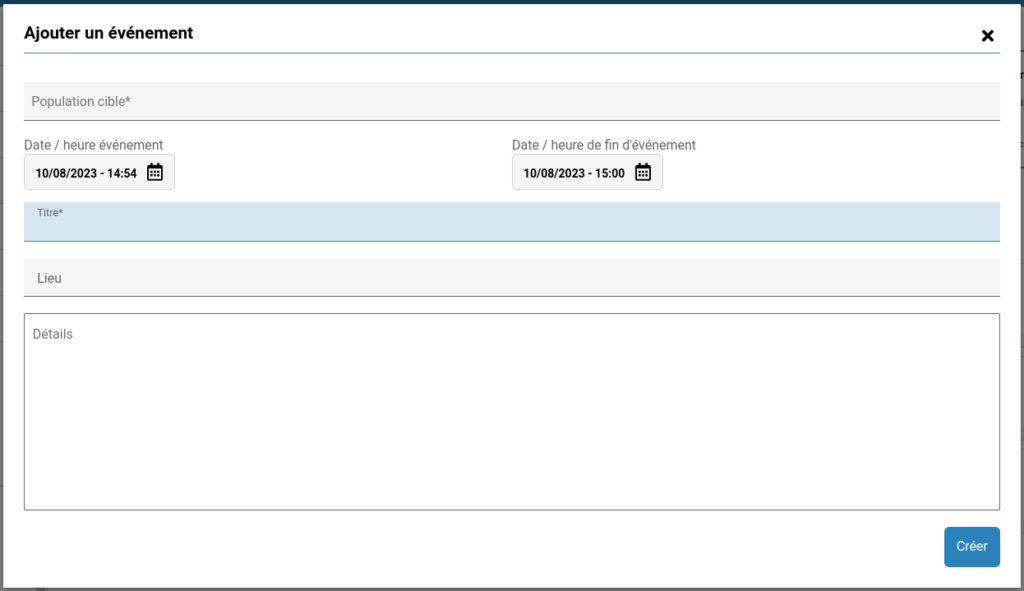
Possible recipient populations include:
- Different profiles within the institution
- Students/legal guardians/teachers of a class
- Students/legal guardians/teachers of a grade
- All students of the institution
- All legal guardians of the institution
- All teachers of the institution
Enter 3 letters of a population to filter from all possible populations.
Enter the start and end date and time of the event.
The title and location of the event are mandatory.
Modification and deletion of an event are reserved for the event’s author only.