Delegations
The delegation service allows granting 2 permissions: Local Administrator and Announcement Writer.
A local ENTA administrator has access to the administration services for their institution:
- Applications
- Dashboard
- Users
- Statistics
In addition, the administrator has visibility over all institutional groups of the institution. Finally, they receive support messages from members of their institution. As such, they will respond when possible, or escalate the request to the ENT editor when the request is beyond their skills/knowledge.
An announcement writer has the ability to write announcements from the dashboard.
The tab appears as a list of existing delegates.

To modify the delegations of existing delegates, simply check or uncheck the corresponding box. The recording is immediate.
Note that it is not possible to remove a delegation for a member of the management staff.
To add a new delegate, click on the Add a delegation button.
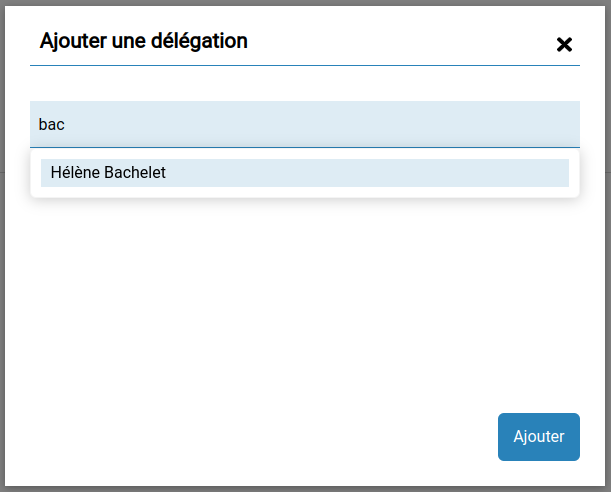
Enter the first 3 letters of the surname or first name to get a suggestion of people. Only teachers and staff are candidates for delegation. It is not possible to choose a student or a legal guardian.
Select the desired person and then click on the Add button. It is possible to add several people at once.
The selected person or persons are then added to the main table. Then add the desired delegations by checking the corresponding boxes. The recording is immediate.
Note that if you remove all delegations from a person, they will still remain in the list if you want to reassign delegations, but upon the next load of the user management service, they will no longer appear. You will need to add them again as described previously if you wish to reassign a delegation.