Activities
The Activities widget groups all actions performed by other users on the user’s collaborative spaces during the current school year.
Activities are sorted from the most recent to the oldest. Scrolling down loads older activities.
Possible activities include:
- Shared information (different from announcements!)
- Document additions
- Addition of new members
- Referrals to be justified
- Referrals made (for deans, class teachers, and co-teachers)
- Assignments given (for students only)
- Course materials provided (for students only)
- Expired groups (for administrators of these groups only)
Clicking on ‘Filter’ expands the following panel:

It is possible to filter:
- By type of activity
- By collaborative space
Sharing Information
Collaborative space managers (teachers, other staff members, etc.) can share information with their members, for example, students of a class for a teacher.
To do this, click on

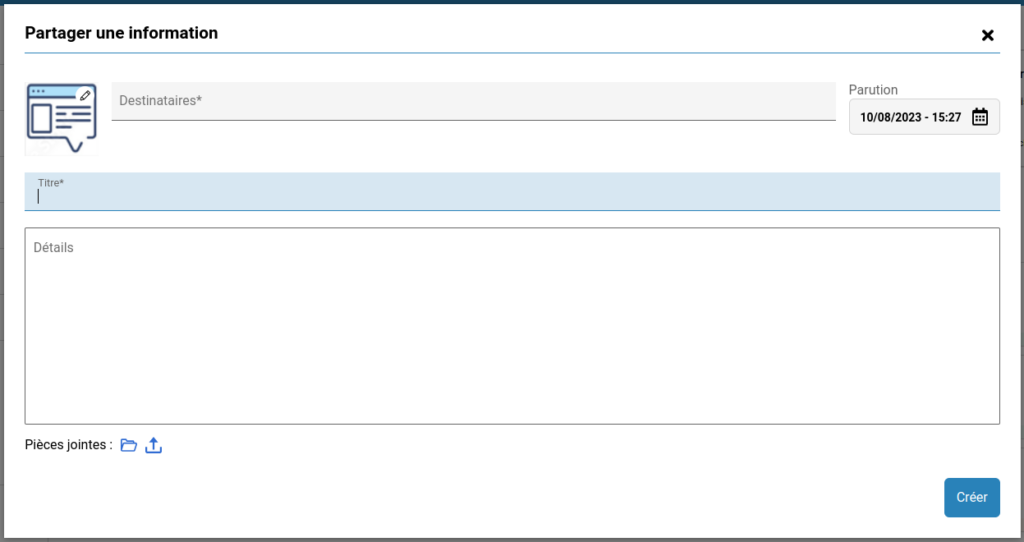
Then choose one or more recipient populations, enter a title and content, and optionally add one or more attachments.
Recipients will then see this information appear at the top of their Activities widget.